Prevention
How to Fix “Crawled — Currently Not Indexed” in Google Search Console
Step-by-step triage for Google Search Console’s “Crawled — currently not indexed” status — what it means, which pages to ignore, and how to fix money pages that Google crawls but will not index.
Josh
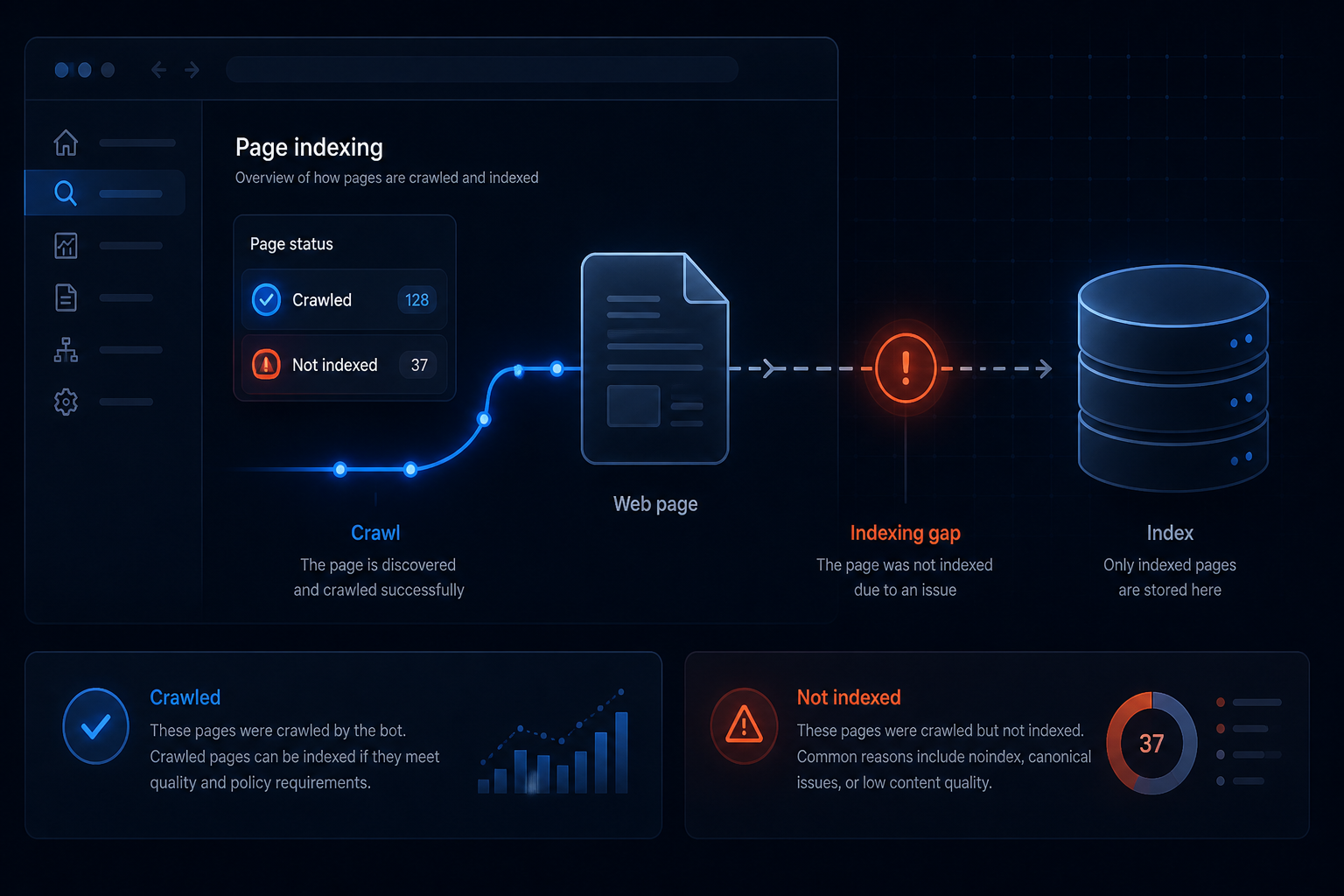
If Google Search Console lists important pages under Crawled — currently not indexed, Google already visited those URLs and decided not to keep them in the index. That status frustrates owners because the site “works,” yet key pages never earn impressions.
This is one of the highest-intent SEO troubleshooting searches right now because it is an exact phrase from Search Console. The fix is not “submit the sitemap again and hope.” It is triage: separate pages that should never rank from pages that must, rule out technical blockers, then improve quality and internal demand on the URLs that matter.
What the status actually means
Google’s Pages report groups reasons URLs are not indexed. Crawled — currently not indexed means:
- Googlebot fetched the page (or recently did)
- The URL was not added to the searchable index at that evaluation
- Google may revisit later — resubmitting alone does not force inclusion
That is different from Discovered — currently not indexed (Google knows the URL but has not crawled it yet) and different from hard exclusions like noindex, robots blocks, or 404s.
For small business sites, the status is usually a mix of:
- Utility URLs that do not need to rank
- Thin, duplicated, or template-heavy pages
- Occasional technical render or canonical confusion
Step 1 — Export and sort the URL list
In Search Console go to Indexing → Pages, open Crawled — currently not indexed, and export the sample list.
Sort every URL into buckets:
- Ignore / expected: login, cart, checkout, account, internal search, filter combinations, thank-you pages, pure utility endpoints
- Fix soon: homepage, service pages, product/category pages, location pages, cornerstone blog posts
- Consolidate: near-duplicate service/location templates, printer-friendly clones, parameter variants, old tag archives
If 80% of the list is utility noise, you do not have an emergency — you have housekeeping. If money pages are in the list, treat it like a revenue problem.
Step 2 — Inspect a live money URL before rewriting content
For each high-value URL, use URL Inspection → Test live URL and check:
- Crawl allowed / indexing allowed
- User-declared vs Google-selected canonical
- Whether the rendered screenshot shows real content (not a blank shell)
- Soft 404 behavior (thin “no results” or empty template looking like a dead page)
Technical blockers to clear first:
- Accidental
noindexfrom an SEO plugin, staging leftover, or security rule - Canonical pointing to a different URL than the one you want indexed
- robots.txt rules that block CSS/JS the page needs to render
- Server errors, redirect chains, or login walls on public pages
- JavaScript-only content Google cannot reliably evaluate as the main body
If Google cannot see substantive HTML, improve rendering and hosting before you blame “the algorithm.”
Step 3 — Fix quality and duplication on pages that should rank
When the live test looks healthy, the status is usually a quality or uniqueness decision.
Work the money pages hard:
- Add unique proof: specifics, process, pricing framing (when honest), FAQs, photos of real work, local detail — not swapped city names on identical paragraphs
- Merge thin near-duplicates into one stronger page and 301 the rest
- Strengthen internal links from the homepage and related service pages with descriptive anchors
- Clean the XML sitemap so it lists only live, canonical, indexable URLs
- Remove or noindex thin archives that dilute crawl attention if they create endless low-value URLs
Do not confuse “longer” with “better.” Google needs a clear reason this URL deserves a slot over dozens of similar pages already in the index.
Step 4 — Request indexing once — after the real fix
Only after you changed something meaningful:
- Re-test the live URL
- Request indexing for that URL
- Optionally use Validate Fix on the Pages report cluster when Google offers it
- Wait for a new crawl date before repeating
Daily request limits are real. Spend them on homepage, services, and conversion pages — not every tag archive.
How website repair and a care plan fit
Owners often discover this status after a redesign, a migration, a plugin SEO change, or months of neglected thin pages. Website repair is the right path when templates are broken, canonicals are wrong, staging settings leaked to production, or Search Console is flooded because the stack is unhealthy.
A Website Care Plan helps after the acute mess is cleaned: supervised updates that do not silently break SEO plugins, monitoring for downtime and SSL failures that interrupt crawling, restore-tested backups, and a human watching technical regressions instead of hoping automatic updates stay friendly.
Care is not a ranking guarantee. It is the operational layer that keeps crawlable, indexable pages from rotting between campaigns.
Practical checklist
- Exported crawled-not-indexed URLs and sorted utility vs money pages
- Live-tested top money URLs in Search Console
- Cleared
noindex, bad canonicals, render blocks, and soft 404s - Strengthened unique content and internal links on priority URLs
- Cleaned sitemap; requested indexing only after fixes
- Decided whether you need a one-time repair, ongoing Care, or both
If your service pages are stuck in this status and you do not want to keep guessing, start with a repair diagnostic — then keep the win with Care.
Frequently asked questions
Does “Crawled — currently not indexed” mean my site is blocked? +
Should I request indexing for every excluded URL? +
Are login, cart, and thank-you pages supposed to be indexed? +
How long until a fixed page gets indexed? +
Can a website care plan help with this status? +
Related in Prevention
-
Prevention
Why Is My Website Not Showing Up on Google? Causes and Fixes
Diagnose why your website is missing from Google — indexing problems, DNS/hosting outages, noindex mistakes, thin pages, and ranking vs visibility — with a clear fix order and when to get repair help.
-
Prevention
Website Care Plan Checklist: What’s Included and How It Helps SEO
A practical website care plan checklist — supervised updates, restore-tested backups, monitoring, security, and technical SEO hygiene — and how those operations help Google crawl and trust your site.
-
Prevention
Namecheap outage lesson for Jamestown NY — why you need a website care plan
The August 2026 Namecheap outage showed why Jamestown, Buffalo, and Great Lakes businesses need a website care plan, managed hosting, off-site backups, and fast DNS failover.